Custom web apps,built around the way your business works.
Some of the most valuable work a studio can do never appears on a public website: the client portal that answers questions before they become emails, the quoting tool that keeps trip details and pricing together, the dashboard that shows what needs attention today. Digital8 designs and builds these systems around your workflow, and we run our own agency on one of them.
For
Small and growing businesses with a process that no longer fits spreadsheets
Where
Winnipeg, Manitoba and across Canada, remotely
Lead
Daniel Plotnik, Digital8
Proof
VoyaCRM, GroupDeck and the Digital8 CRM
Combine with
Web design, branding
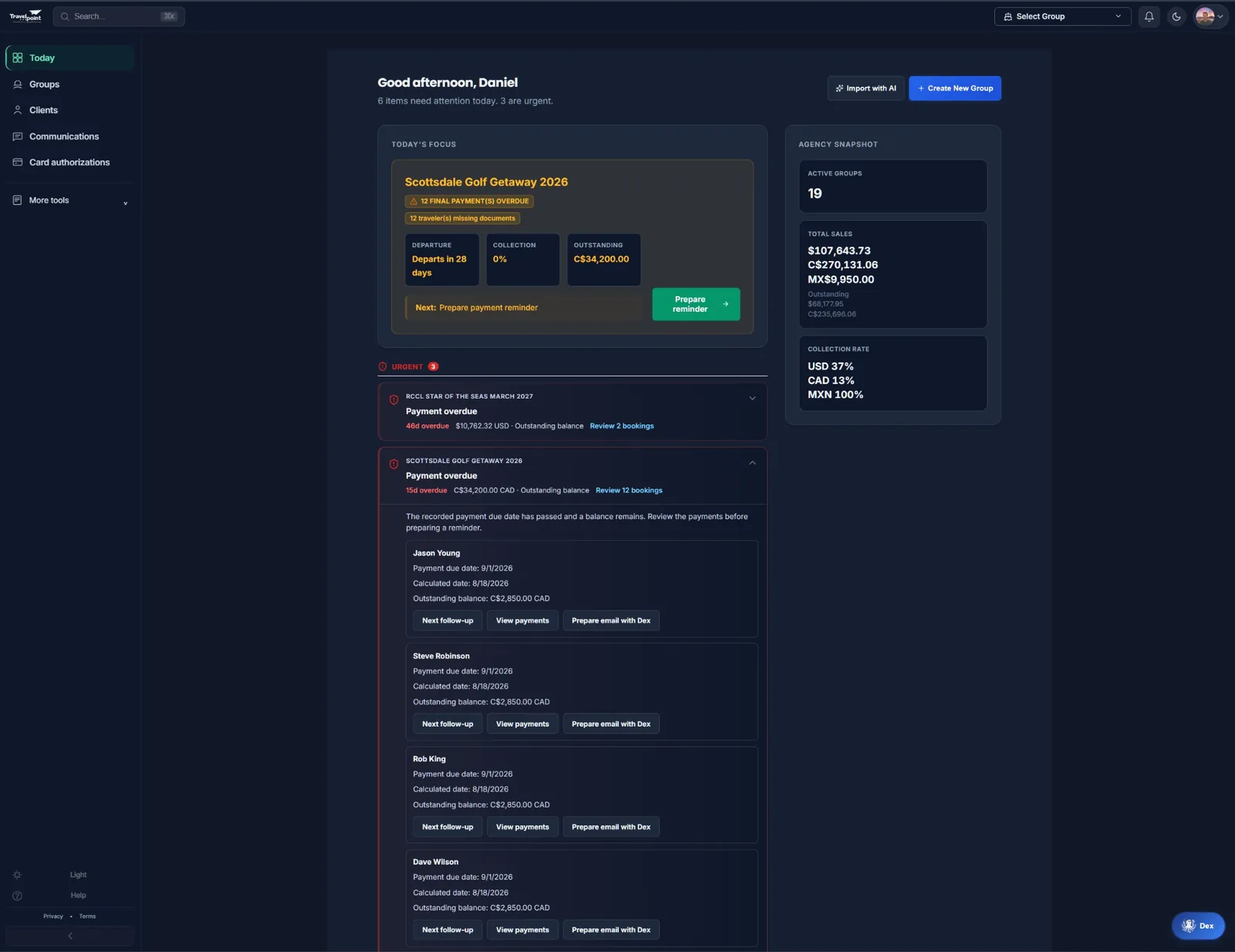
GroupDeck’s agency dashboard, a custom system designed and developed by Digital8.
01 / WHAT WE BUILD
Web apps that simplify everyday workflows.
Client portals. A place where your clients see their status, make payments, upload documents and find the next step, so your team stops answering the same questions by email.
Administration dashboards. One view of what needs attention: deadlines, balances, missing items and the day’s priorities, drawn from the data you already hold.
Quoting and booking tools. Structured quotes, web and PDF output, and enquiry or booking workflows that capture the details you need the first time.
Workflow automation. Reminders, follow-ups and status changes that run on rules instead of memory, with your team reviewing what matters.
Connections between your tools. Integrations with the forms, calendars, payment providers and business software you already use, so information is entered once.
02 / THE PROOF
We build tools for our own businesses, too.
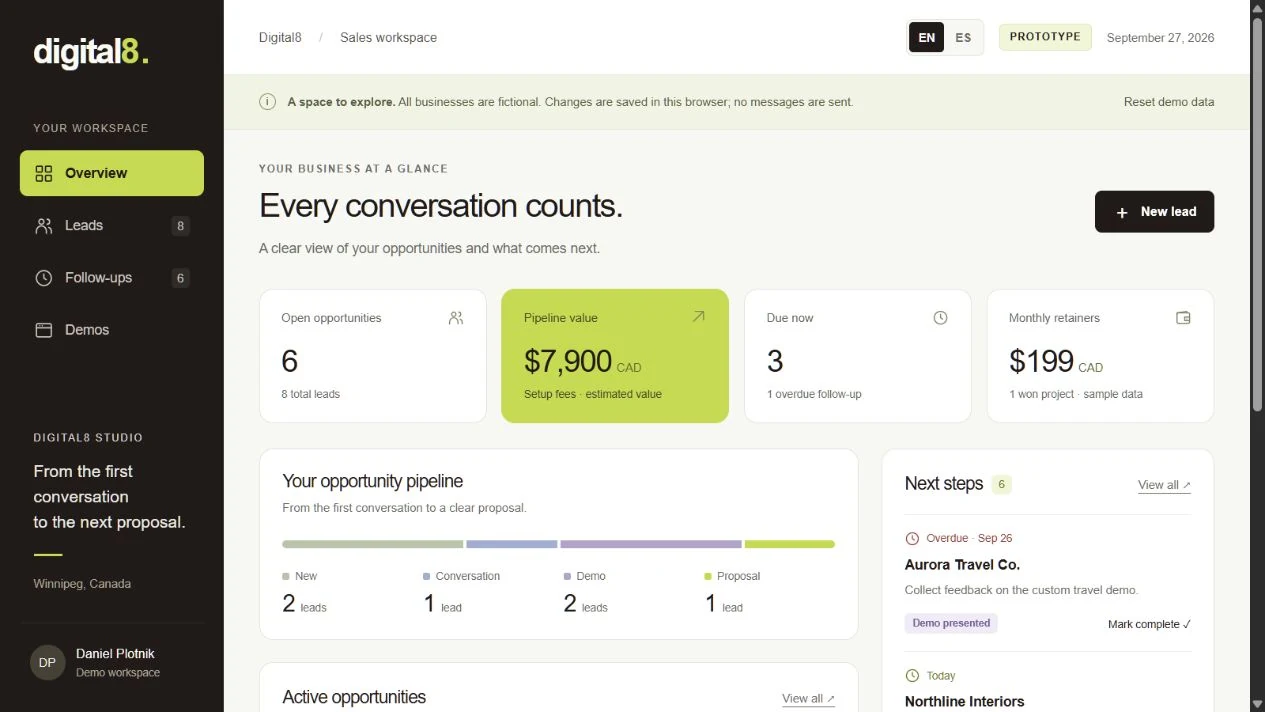
These are working products Daniel built for his own businesses. Each solves a different problem; they show the kind of workflow we can discuss for yours.
Product design and development by Daniel / Digital8. GroupDeck’s visual identity is by Goldie / The Bridge Idea.
01 / OUR OWN TRAVEL AGENCY TOOL
VoyaCRM
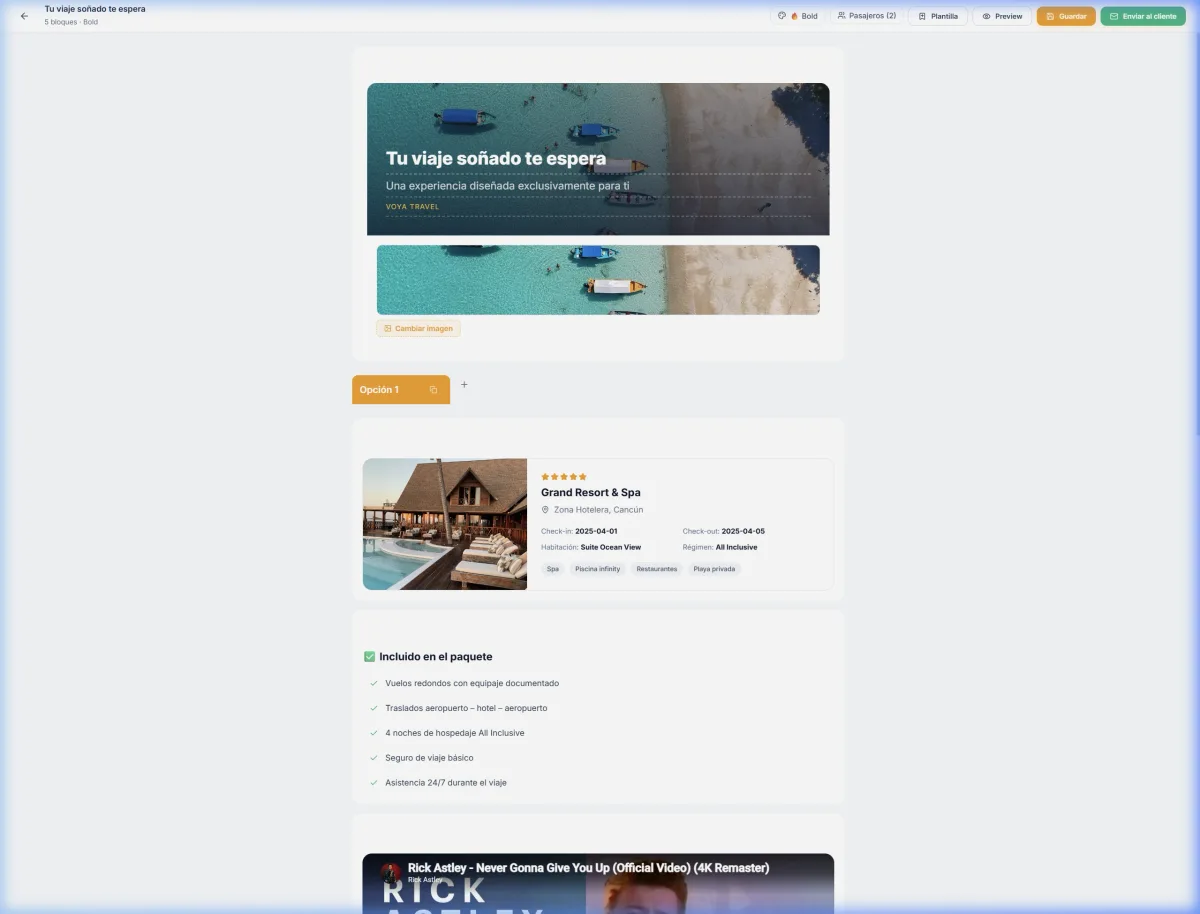
The workflow: bringing client information, travel proposals and payment tracking into one workspace.
The tool: a visual quote builder that organises itinerary details and imagery alongside the agency’s records.
Sample changes stay in your browser. No messages are sent.
03 / HOW IT WORKS
Map the process first. Then build the tool.
01 / MAP
Understand the workflow.
We walk through the process step by step: who does what, where information lives, and which steps cost the most time or cause the most mistakes.
02 / SCOPE
Define a focused first version.
We assess the integrations required and propose a first scope that solves the most valuable part of the problem, with deliverables, timeline and ongoing costs.
03 / BUILD
Make it work.
We develop the system, connect it to your tools and check the key journeys with your team before anything replaces the old way of working.
04 / RUN
Launch and keep it running.
We hand over, explain how the setup works, and agree what maintenance, hosting and future changes look like.
If an existing tool would solve your problem better than a custom build, we will say so during the first conversation.
04 / BEFORE WE START
Good questions. Clear answers.
Will the app work on mobile?
We design web applications for desktop and mobile browsers. The agreed scope defines supported screens, integrations and workflows. App Store and Google Play releases are scoped separately.
Do I need a custom system, or would off-the-shelf software do?
Often an existing tool is the right answer, and we will say so. A custom system makes sense when your process does not fit generic software, when your team spends hours on repetitive steps, or when clients need a portal that reflects your business. We map the process first and recommend accordingly.
How does a custom systems project start?
With a conversation about the workflow that costs you the most time. We map the steps, assess the integrations required and define a focused first scope, which you receive as a proposal with deliverables, timeline and ongoing costs.
What happens after launch?
We explain how the system runs and what keeps it running. Hosting, maintenance, updates and future features are addressed in the proposal, so you know which responsibilities and costs continue.
Can the system connect to the software we already use?
Usually, yes. Forms, calendars, payment providers and most modern business tools offer connections we can build on. We confirm what is possible while scoping, before you commit.
Tell us which task repeats, which tools you use and who needs access. We can discuss whether an existing tool, an integration or a custom app is the right next step.